

Barbieri Digital Output Control, DOC

Color process control for professional large format digital printing

DOC records the measured condition of a defined printer, ink, print mode, and media combination as a reference. Subsequent control strips can then be measured and compared with this reference to identify process deviations.

The operator receives an immediate pass or fail evaluation based on defined tolerances, together with detailed measurement data and PDF reporting.

✓ Identify measurable changes in your printing condition
✓ Verify whether production output remains within defined color tolerances

Why is consistent color output difficult to maintain?

In large format digital printing, many variables influence the final color result. Without objective measurement, gradual process changes can remain unnoticed until they affect production quality.

Silent Workflow Changes

RIP updates, profile changes, calibration adjustments, or modified production settings can alter color output without an obvious warning. A control strip helps identify measurable deviations before they affect larger production volumes.

Media, Ink & Environment

Media batches, ink condition, nozzle performance, printer calibration, temperature, humidity, and finishing conditions can influence measured color output. Regular control measurements help distinguish normal production variation from significant process drift.

No Objective Pass / Fail

Without defined measurement data and tolerances, production approval relies heavily on visual assessment and operator experience. Objective pass or fail criteria provide a documented basis for production decisions and repeatability.

From reference measurement to production evaluation in four steps

DOC adds measurement based process verification to compatible BARBIERI Gateway workflows using defined control strips and tolerances.

Set the Reference

Measure and store the reference condition for a defined printer, ink, print mode, media, and production setup in BARBIERI Gateway.

Print the Control Strip

Add the appropriate BARBIERI DOC control strip to the production file and print it under the same conditions as the job. With the Spectro LFP qb, the QR code supports automatic identification of the control strip and its associated reference data.

Measure & Compare

Measure the control strip with a compatible BARBIERI spectrophotometer. DOC compares the measured values with the stored reference and evaluates the results using the defined tolerances.

Instant Feedback & Report

Receive an immediate pass or fail evaluation together with detailed color difference values. Generate a PDF report for internal quality documentation, production records, customer communication, or process review.

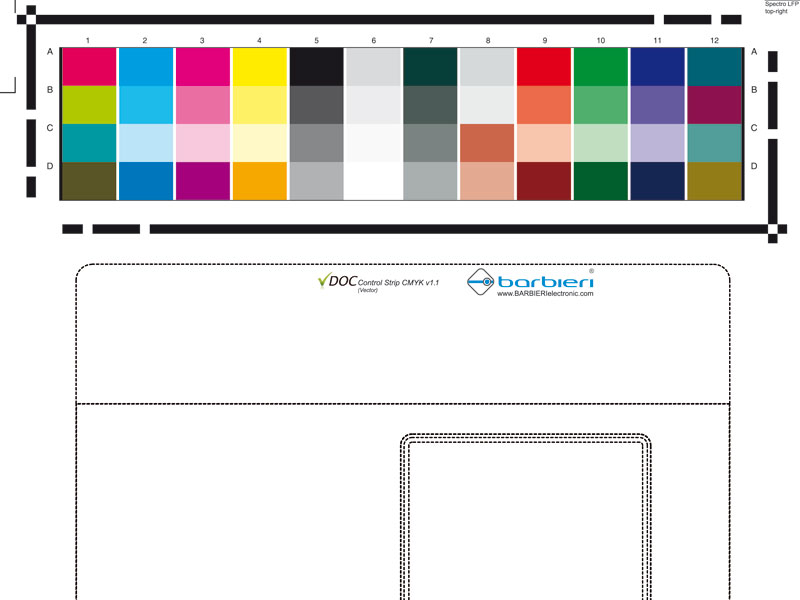
The Barbieri DOC Control Strip CMYK:

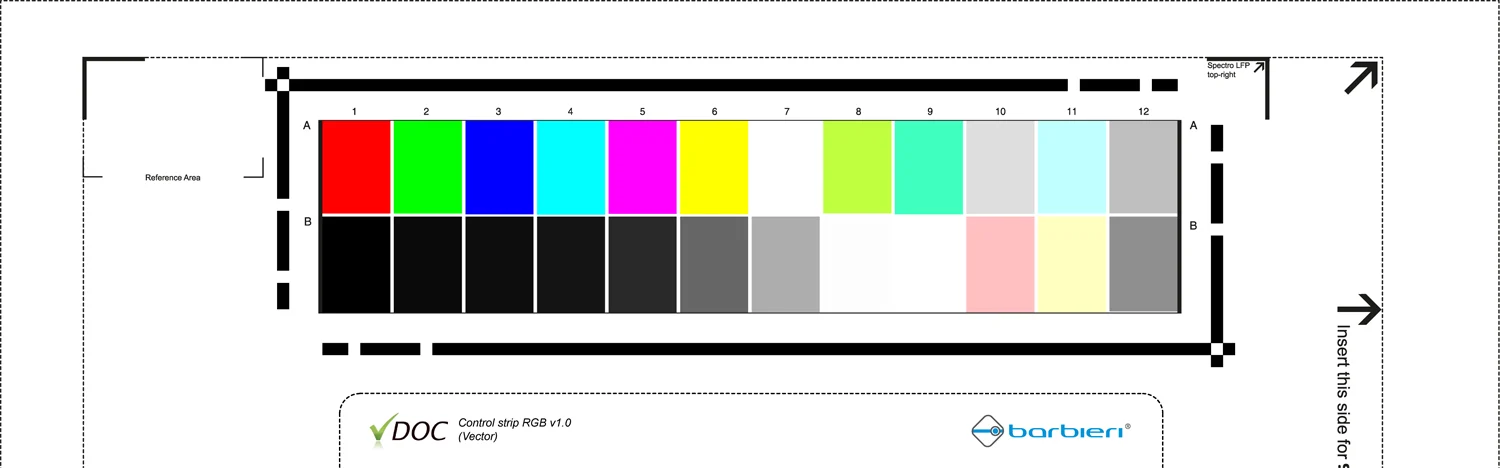
The Barbieri DOC Control Strip RGB:

CMYK and RGB control strips for large format production workflows

Barbieri DOC control strips are available in CMYK and RGB variants for different digital printing and workflow requirements. Each strip contains defined color patches for spectrophotometric evaluation. On the Spectro LFP qb, the integrated QR code supports automatic strip identification and reference assignment.

Core functions for production floor color process control

QR Code Auto-Detection

With the Spectro LFP qb, integrated QR code recognition supports automatic identification of the DOC control strip and its assigned reference. This reduces manual selection steps and the risk of assigning the wrong reference.

PDF Report Generation

Generate PDF reports containing measured color difference values, pass or fail results, applied tolerances, and available process data for quality documentation and production records.

Instant Pass / Fail Feedback

The operator receives an immediate evaluation showing whether the measured control strip is within the defined tolerances. This supports a documented decision to continue production, investigate the process, or make adjustments.

Fogra PSD & IDEAlliance Support

DOC supports evaluation methods and control wedges used in selected Fogra PSD (Medienkeil CMYK v.3 LFP) and IDEAlliance (Control Wedge ISO 12647-2013 LAD) related workflows. The available evaluation depends on the selected control strip, reference data, and software configuration.

Media Presets & Templates

Create and manage reference configurations for defined printer, media, print mode, control strip, and tolerance combinations. Saved settings support repeatable evaluation of recurring production conditions.

Gateway Software Integration

DOC is an optional module activated within BARBIERI Gateway. It uses the existing instrument connection and measurement environment provided by Gateway.

DOC runs on Barbieri hardware you already know

DOC is available on two Barbieri instruments. Choose based on your production environment and workflow requirements.

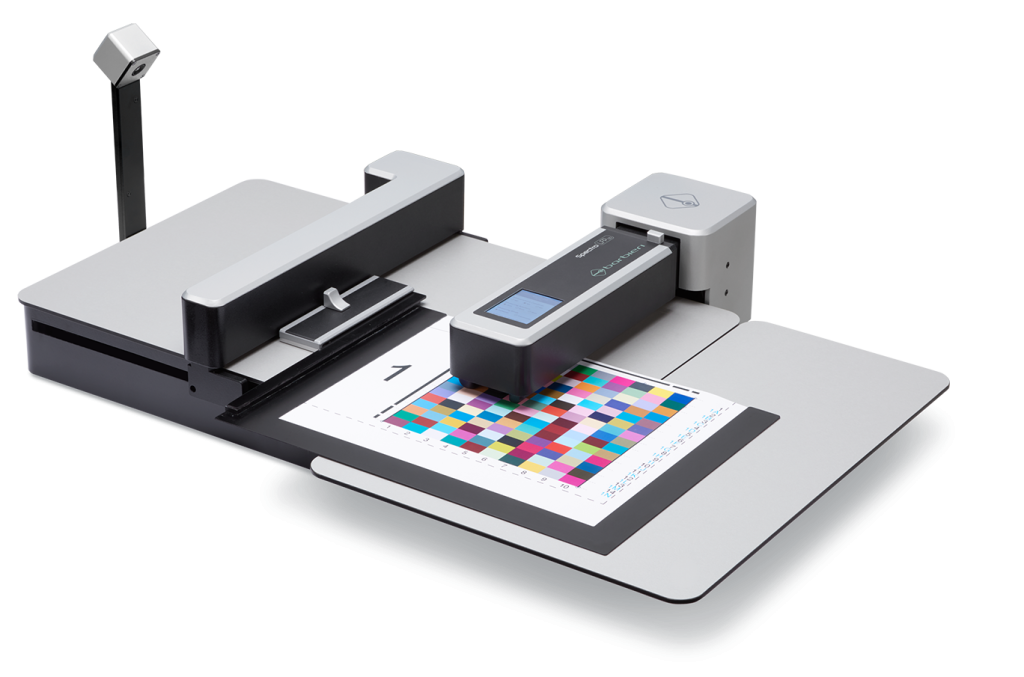
Spectro LFP qb Family

Activate DOC as an optional module within BARBIERI Gateway to add automated control strip measurement, QR code identification, tolerance evaluation, and PDF reporting to the Spectro LFP qb workflow.

Barbieri Spectro LFP qb

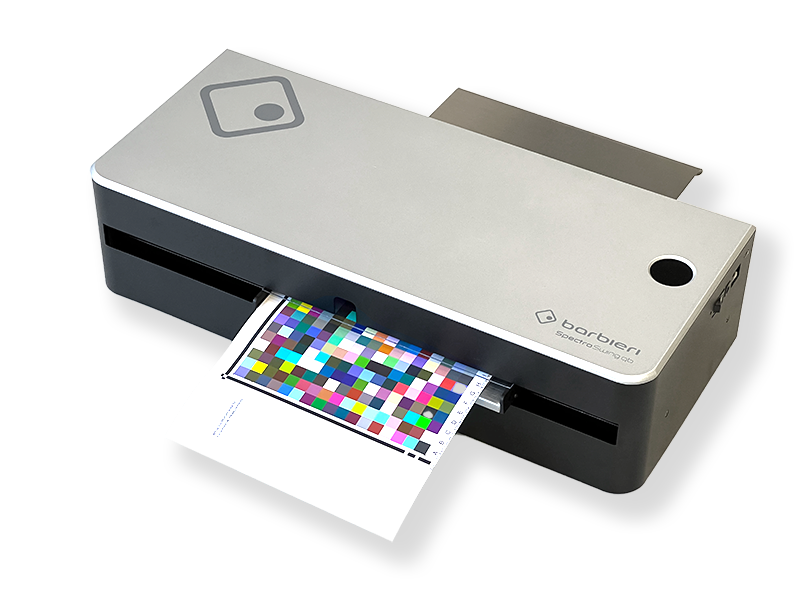
Spectro Swing qb

Activate DOC as an optional module within BARBIERI Gateway to add automated control strip measurement, tolerance evaluation, and PDF reporting to the Spectro Swing qb workflow.

Barbieri Spectro Swing qb

Download the Barbieri Gateway Operating Manual

DOC - FAQs

DOC compares a measured control strip with a stored reference and evaluates the result against defined tolerances. The following questions explain setup, supported instruments, control strips, reporting, and production use.

Which Barbieri spectrophotometers support DOC?

DOC is supported by the Spectro LFP qb Family and the Spectro Swing qb Family.
The
Spectro LFP qb features fully automated QR-code detection for error-free operation.

DOC is an optional component that can be activated within the Barbieri Gateway software. It is included with the Spectropad DOC.

Create the reference from a production condition that has been approved as suitable. A separate reference should be stored for each relevant printer, media, ink, print mode, and control strip combination. Update the reference when a new production condition is intentionally introduced and approved.

DOC gives immediate feedback directly in the Gateway software, showing whether color values are within or outside the set tolerance. The operator can then decide on the spot whether to continue printing or adjust the process.

Yes. Barbieri provides both a CMYK and an RGB control strip, making DOC suitable for a wide range of digital large format printing workflows.

DOC supports Fogra PSD (Media Wedge CMYK v.3 LFP) and IDEAlliance standards (Control Wedge ISO 12647-2013 LAD).

Yes. The Gateway software includes PDF report generation, giving you documentation of print quality you can share internally or with clients.

Ready to add objective color process control to your workflow?

Talk to a Barbieri color measurement specialist about integrating DOC into your production workflow – or watch the introduction video to see it in action.

Scroll to Top
Cookie Consent with Real Cookie Banner